Demo TSEF Sessions
These sample TSEF files can be downloaded and imported into TSUKI EI ZAN RONIN to test History, Kata 3D replay and Ghost Comparison even before recording your own sessions with TsukiBlade.
Download Sample Sessions
How to Import
Step 1 — Download the files
Download one or more TSEF files on your Android device. They will usually be saved inside the Downloads folder.
Step 2 — Open History in RONIN
Open TSUKI EI ZAN RONIN, go to History, then press the file import icon in the top-right corner.
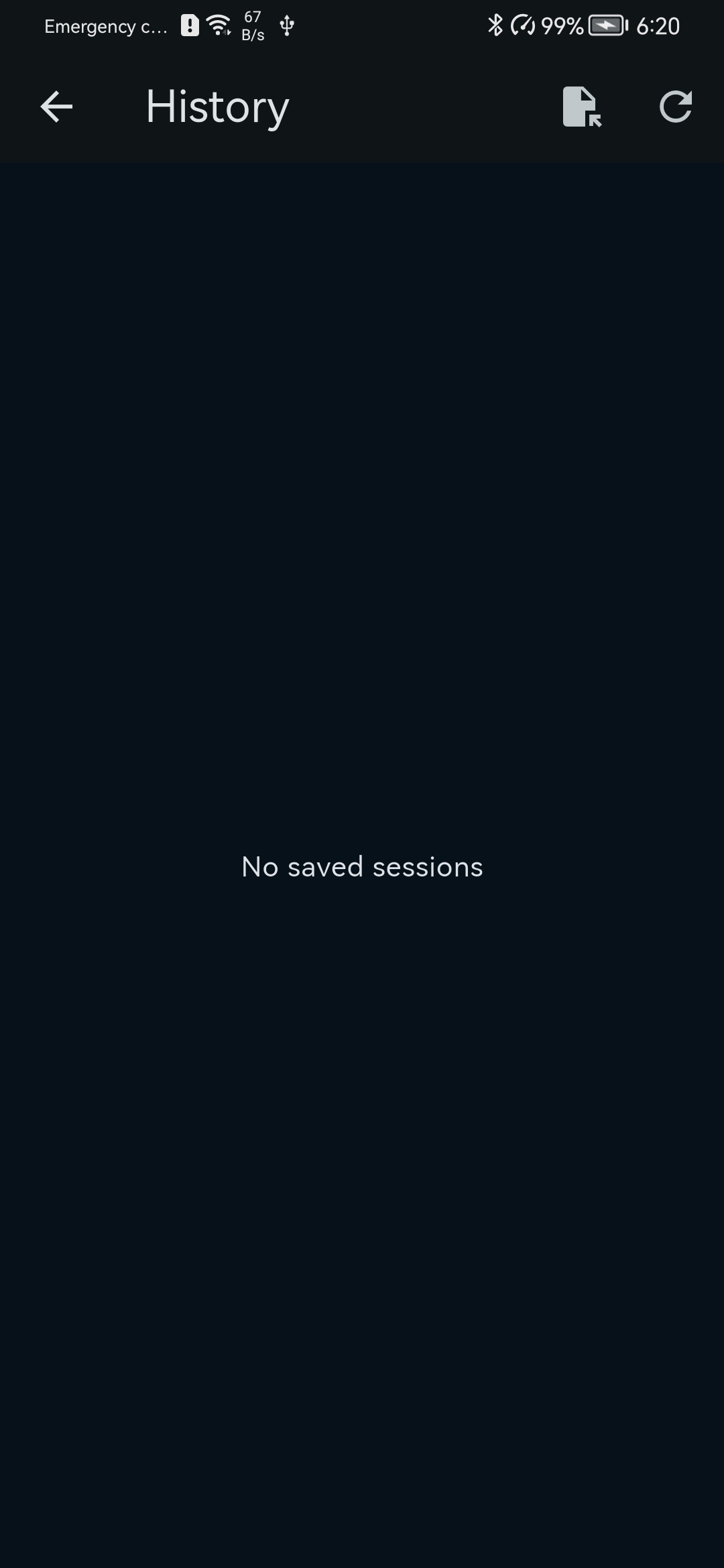
Step 3 — Select the downloaded TSEF files
Navigate to the folder where the files were saved, usually Downloads, and select the downloaded tsuki_kata files.
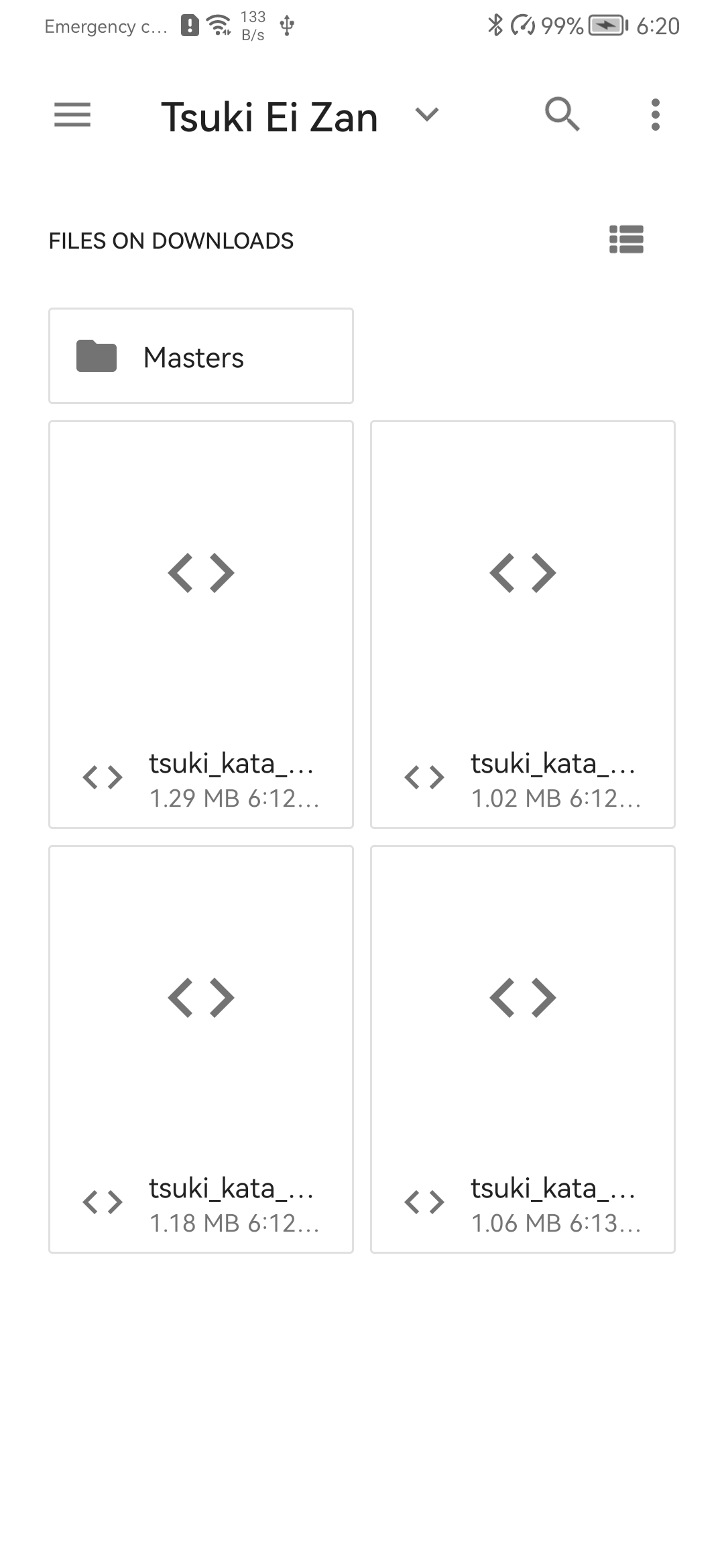
Step 4 — Use them in History and Kata 3D
After import, the sessions will appear inside History. You can open them individually, replay them in Kata 3D, or use Ghost Comparison mode to compare two executions of the same kata.
RONIN, Tablet and Future PC Viewer
For the best Android experience, using a tablet is recommended: the larger screen makes Kata 3D and Ghost Comparison easier to read.
These TSEF files are also intended to be compatible with the future PC program TSUKI EI ZAN DOJO, where sessions will be reviewable on a larger screen.