RONIN Installation Guide
TSUKI EI ZAN RONIN is currently distributed as a standalone Android APK package. This guide explains how to install the application on Android devices.
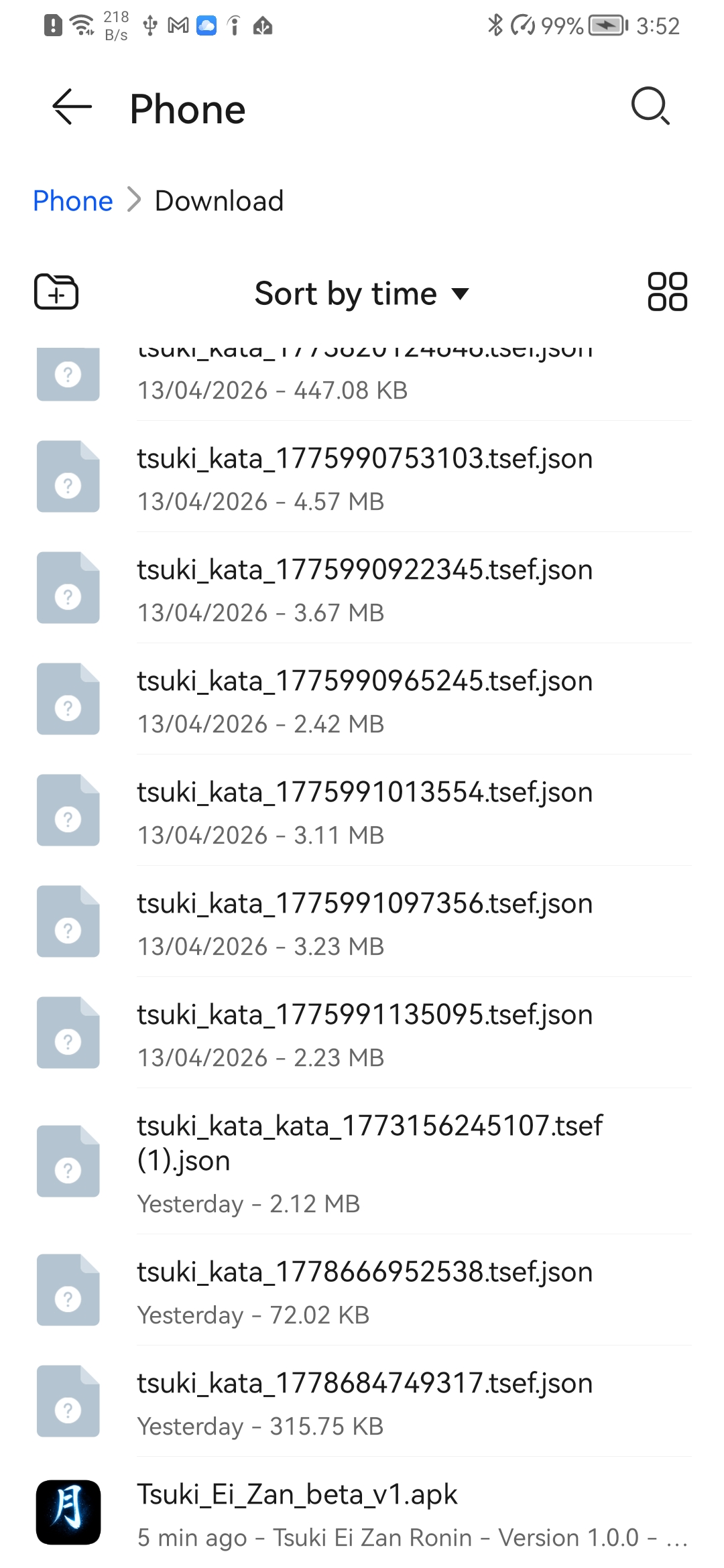
Step 1 — Open the APK and enter Settings
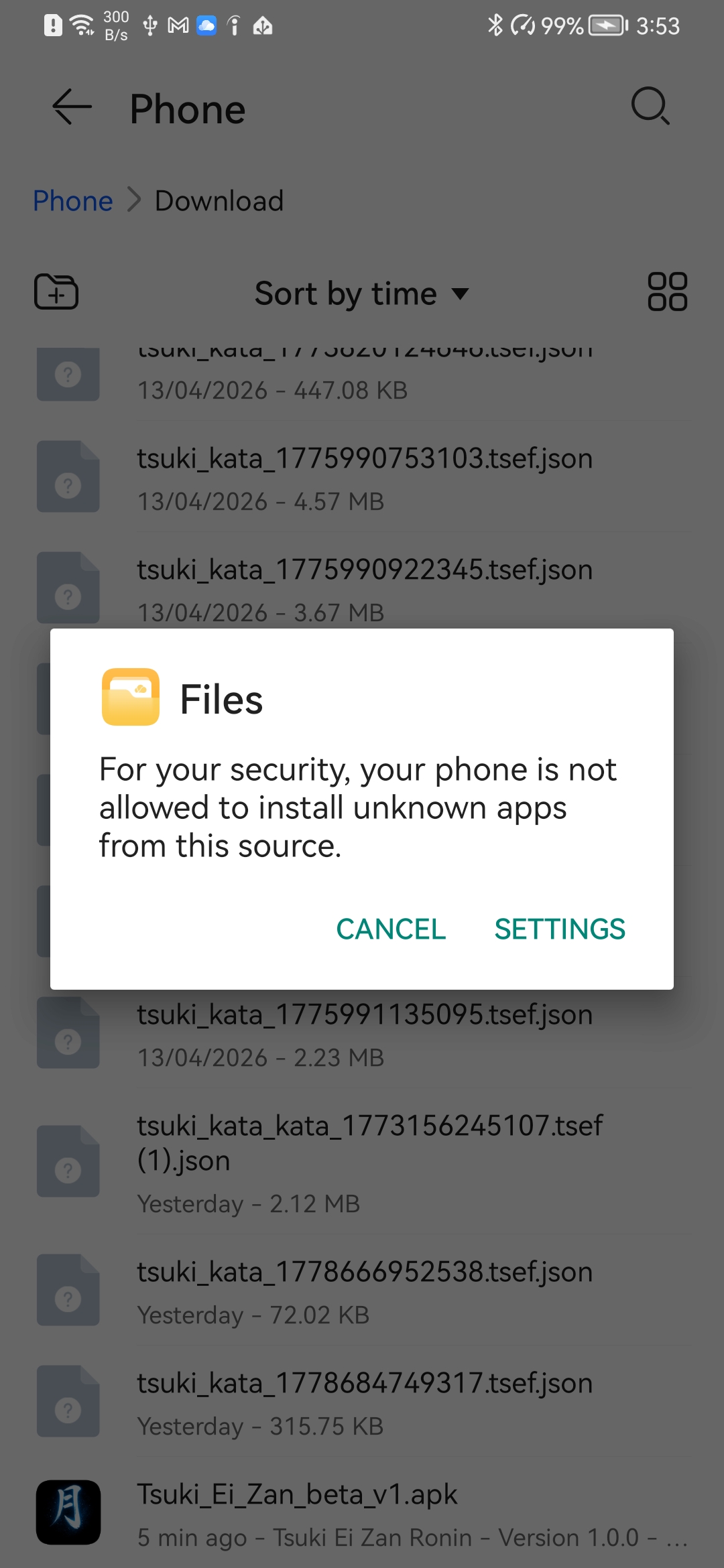
Open the downloaded APK file from your Downloads folder. Android may block the installation because the application was not installed from Google Play. Press SETTINGS to continue.
Step 2 — External app installation settings
Android opens the installation permission screen for the app used to open the APK, such as Files or Chrome.
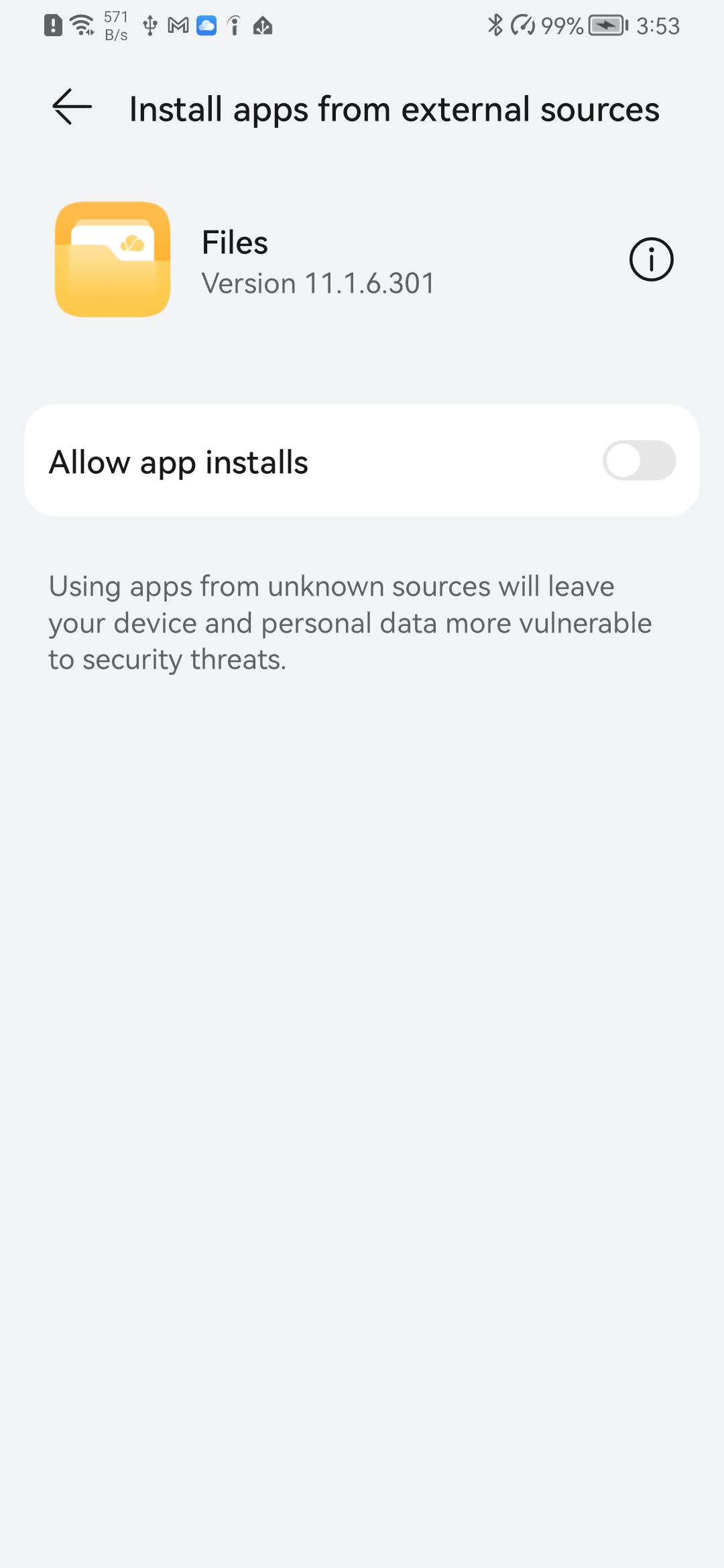
Step 3 — Allow installation from this source
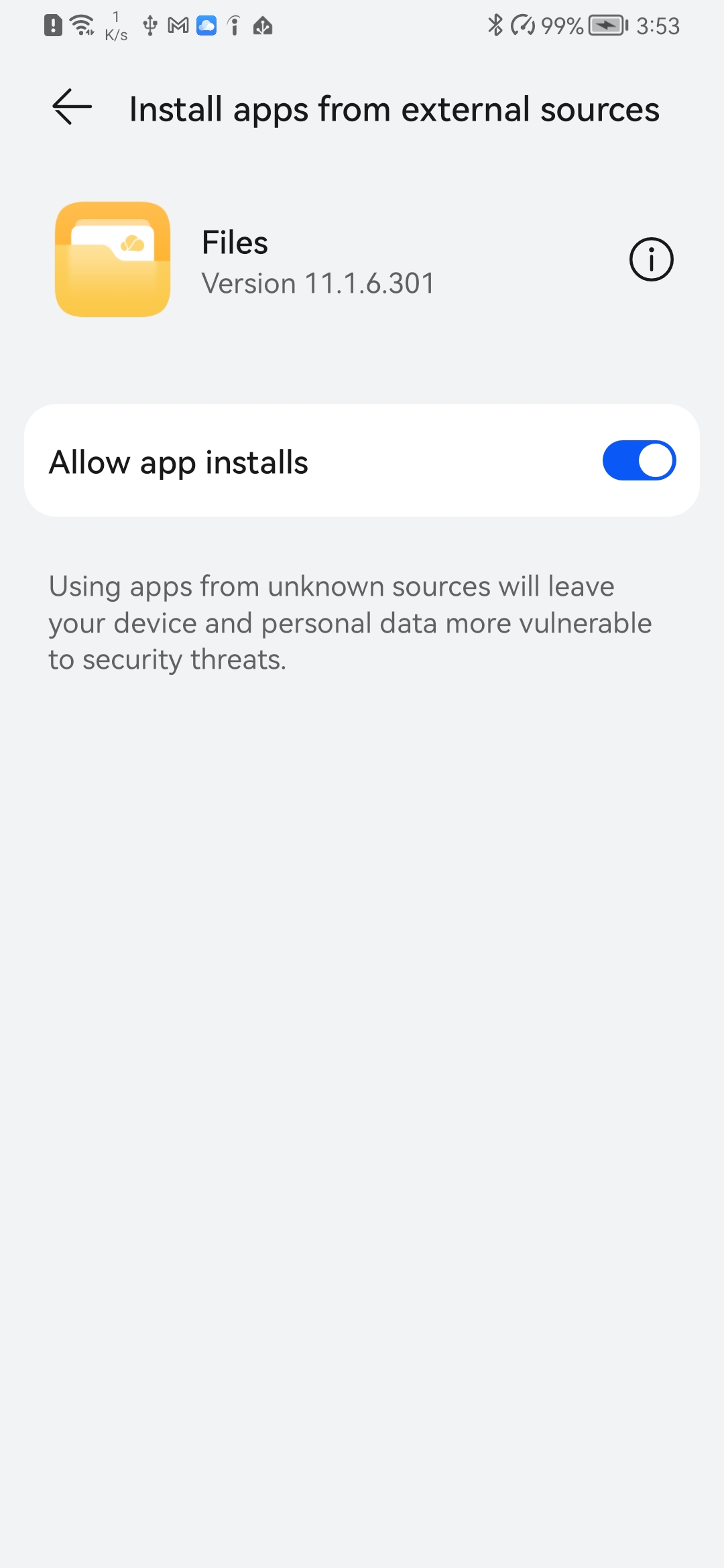
Enable Allow app installs to temporarily authorize APK installation from this source.
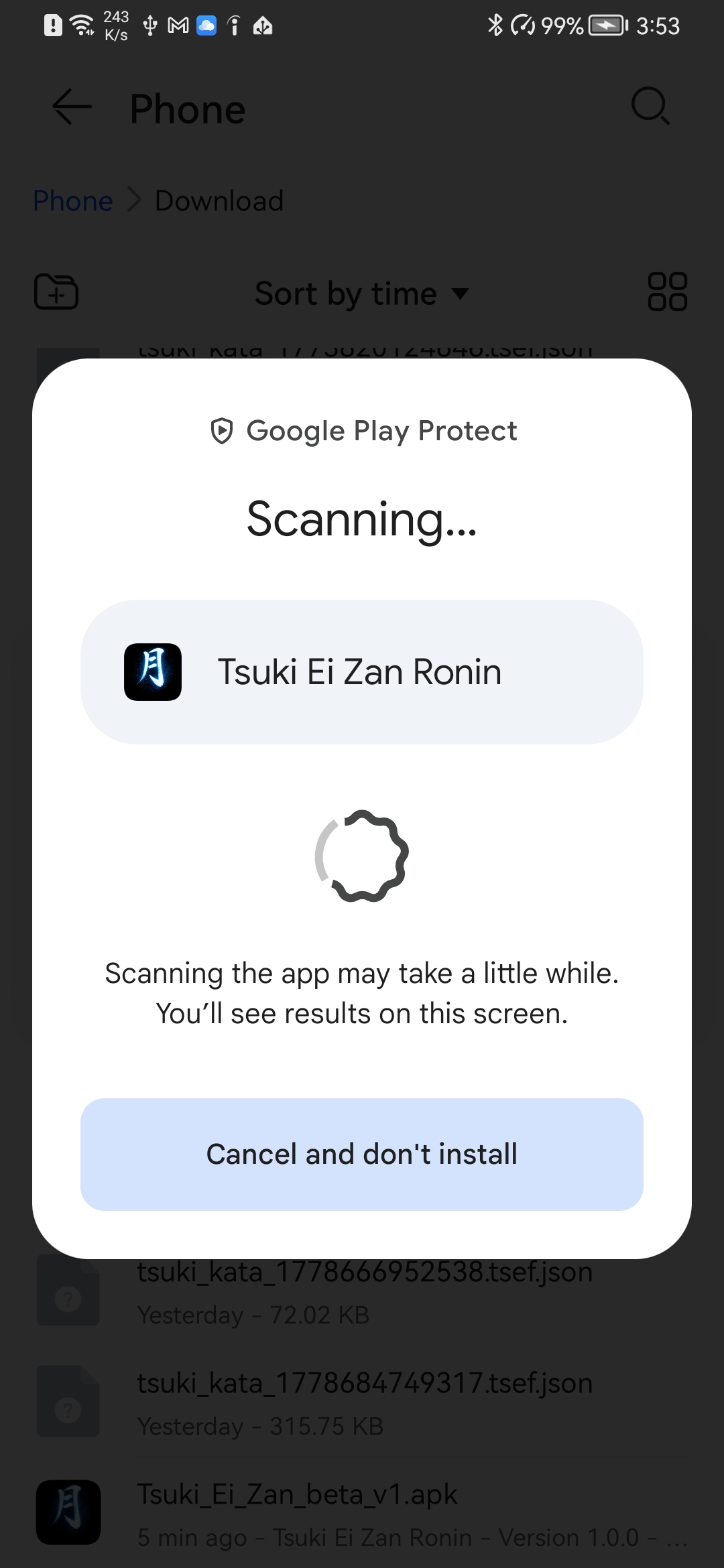
Step 4 — Google Play Protect scan
Google Play Protect may scan the application before installation to verify it.
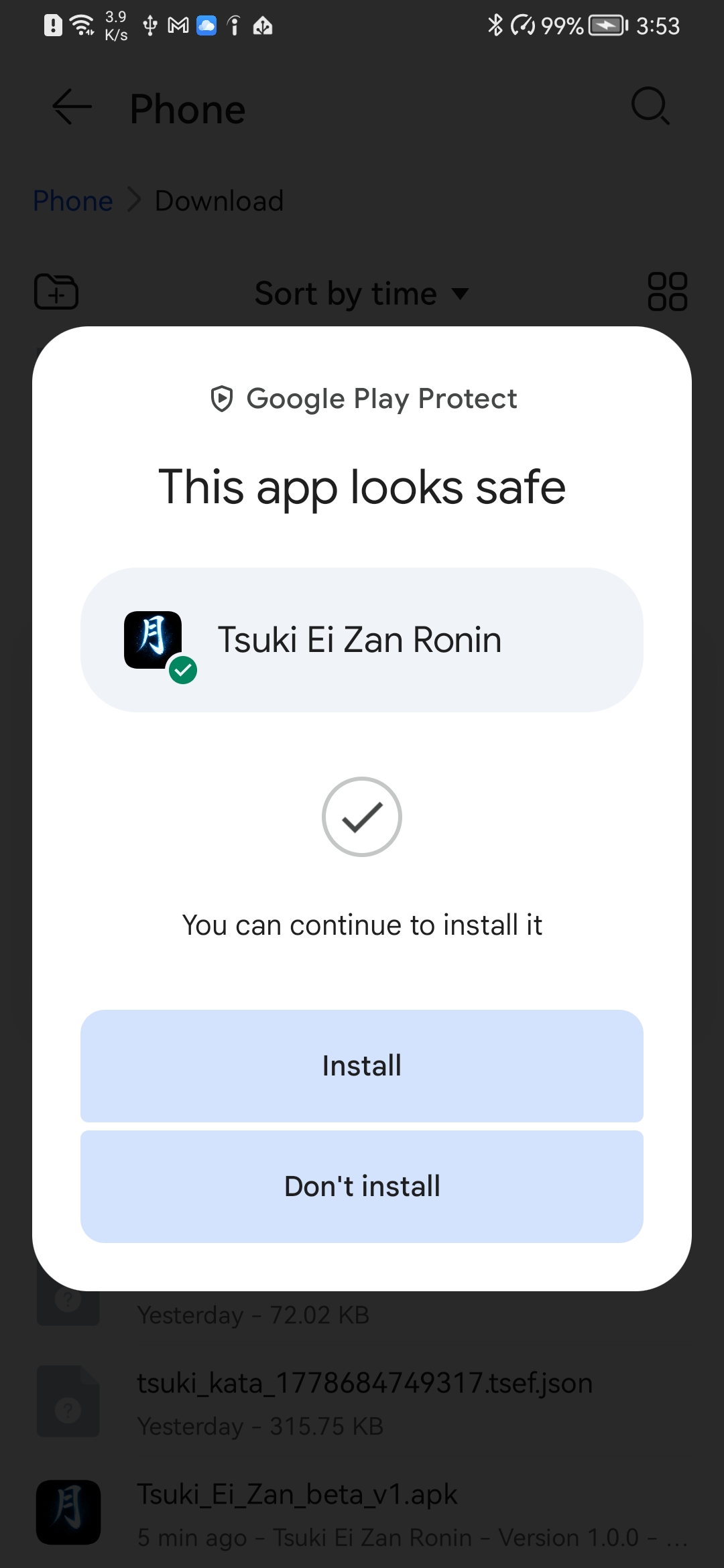
Step 5 — Install RONIN
If Android recognizes the application as safe, press INSTALL to continue and complete the installation.
Security Notice
TSUKI EI ZAN RONIN is currently an experimental beta application distributed outside the Google Play Store. Always download the APK only from the official TSUKI EI ZAN website.